


If you’re trying to monetize your YouTube Channel, these real strategies will help you hit the goal of 4000 Watch Hours FAST.
Welcome back! If you’re trying to monetize your YouTube Channel, but the ‘4000 Watch Hours’ goal feels unachievable or simply out of reach, then you’ve landed in the right place. Today I’m going to show you how to reach 4000 Watch Hours on YouTube, and by the end of this post, you’re going to see that ‘4,000 Watch Hours’ is closer than you think.
In this post you’re going to learn my 10 core strategies to hit 4000 Watch Hours on YouTube, with tip number 5 being the most underrated and my personal favorite. I’ll also be sharing the exact formula for how many views you need to hit on your specific channel to reach the 4000 Watch Hours milestone.
Then at the end I’ll be sharing the one thing that I did to make my first viral YouTube video (that helped me get monetized).
As always, if you’d like to watch instead of read, click the video below. Let’s jump in.
DISCLAIMER: Links included in this post might be affiliate links. If you purchase a product or service with the links that I provide I may receive a small commission. There is no additional charge to you! Thank you for supporting me so I can continue to provide you with free content each week on my blog and on my YouTube channel!
How to Hit 4000 Watch Hours on YouTube
Strategy 1: The Idea Pipeline
If you want more Watch Hours on YouTube, you’re going to need to start creating a list of validated video ideas that people are actually going to want to watch. Hence helping you get more WATCH Hours.
These aren’t just any old ideas that come to you, these need to be validated ideas that you know will draw viewers in. So, how can you come up with these video ideas?
Option 1: Keyword research
The first way to find validated video ideas is through keyword research or SEO. Don’t panic here, SEO simply stands for Search Engine Optimization and it’s a lot easier than you think.
There are a few different places that people can find your videos on YouTube. You have ‘Home’, ‘Recommended’ and ‘Search.’ As a new YouTuber, you’re going to be aiming for ‘Search’ because you can create videos that specifically target what people are searching for.
Keyword research videos tend to be more search-friendly and evergreen, which helps you get consistent views and watch time long after they’re posted.
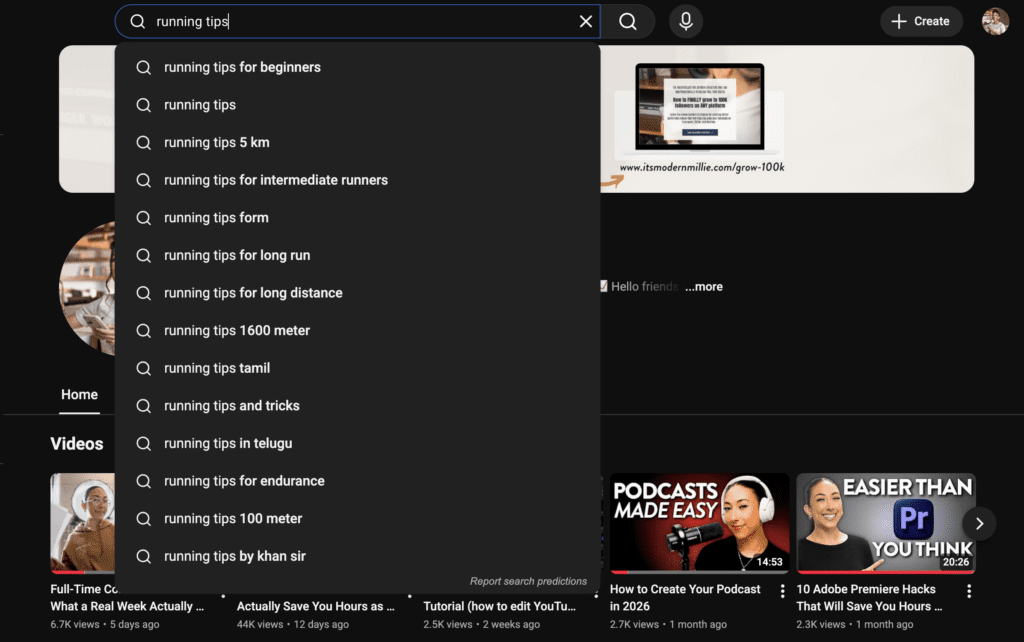
How can you do this? The easiest way is by going directly to YouTube and searching for things that you plan on creating content around. For example, head to YouTube and search for ‘Running Tips.’ You’ll see that YouTube starts to give you other search ideas based on what you’ve typed in. You can gather all of those results as your keywords for future videos.
There are also some tools that can help you do keyword research for YouTube:
- TubeBuddy
- VidIQ
- AnswerThePublic
- Keywords Everywhere (my personal favorite)
Option 2: Look at Your Niche Neighbors
Your niche neighbors are the people who are creating content in the same niche as you. And studying their videos can show you what people are watching now, giving your videos a better chance or getting views early on (but maybe not long-term, which is why it’s important to make evergreen videos as well).
The advice that I give my students is to look at channels with between 10,000 and 100,000 subscribers, because that YouTuber is likely going to be on their own growth journey. Comparing yourself and your video ideas to someone who has millions of subscribers isn’t going to help you, because that channel likely isn’t following the same strategies that you should be when you’re just starting out.
So, find some YouTubers who are in a similar niche to yours, with less than 100,000 subscribers, and look at their 12 most recent videos.
Are there any outliers or videos that are performing extraordinarily well for them (or even just above average)? This could give you a gauge to what’s currently working for them on YouTube. You can also look at their most popular videos and if there’s something that went viral for them in the last 2-3 years, you could note that down as a validated video idea for your channel.
This should go without saying, but finding validated video ideas from your niche neighbors should never result in you copying their video from start to finish. Your videos should always have your own unique opinions, perspectives and value.
Option 3: Use Outlier Tools
Finally you can use tools like 1 of 10 and vidIQ to find outlier videos. These tools sync directly with YouTube and they help you find the videos that have outperformed in your industry. You can take their suggestions and adapt them to your own videos.
I personally love the hands-on, slower research of options one and two because I find that I learn a lot during the process, but if you simply don’t have the time, these tools can help you find validated video ideas fast. They do the work for you, and you can pull those validated video ideas from there.
Now if you’re just starting out on YouTube and you need some help setting up your YouTube account, understanding YouTube SEO, niching down, and finding the right gear, make sure to download my YouTube Starter Workbook. It’s a completely free resource that I created to help you set up your channel from day one.

Strategy 2: Video Packaging
You could have the best idea in the world, but the only way to get watch hours is to get views. And the only way to get views is to make sure people are clicking on your video. So, if you want to hit 4000 Watch Hours, you are going to need to make sure you’re getting clicks.
How can you do that? Through video packaging.
Video “packaging” is essentially your video’s thumbnail and title.
These two things determine whether or not someone will actually click through to watch your video. If your packaging is good, they click. If it’s not, they’ll move onto someone else’s video.
Struggling with getting views is likely a packaging problem and not an algorithm issue.
So, how do you make good packaging? Good video packaging happens when you create a strong curiosity gap with your title and thumbnail that’s too big for the viewer to ignore.
What is a curiosity gap? The term “Curiosity Gap” was coined by Carnegie Mellon University Researcher George Lowenstein in 1994 to describe the gap between what a person knows and what they want to know.
In YouTube terms, this theory leverages the viewers curiosity to make them click on your video, since our brains are wired to crave closure. If you’re able to create a curiosity gap that’s strong enough, the viewer will have to click on your video to get the closure that their brain is craving.
Exhibit A: Ryan Trahan. Let’s look at this thumbnail here:
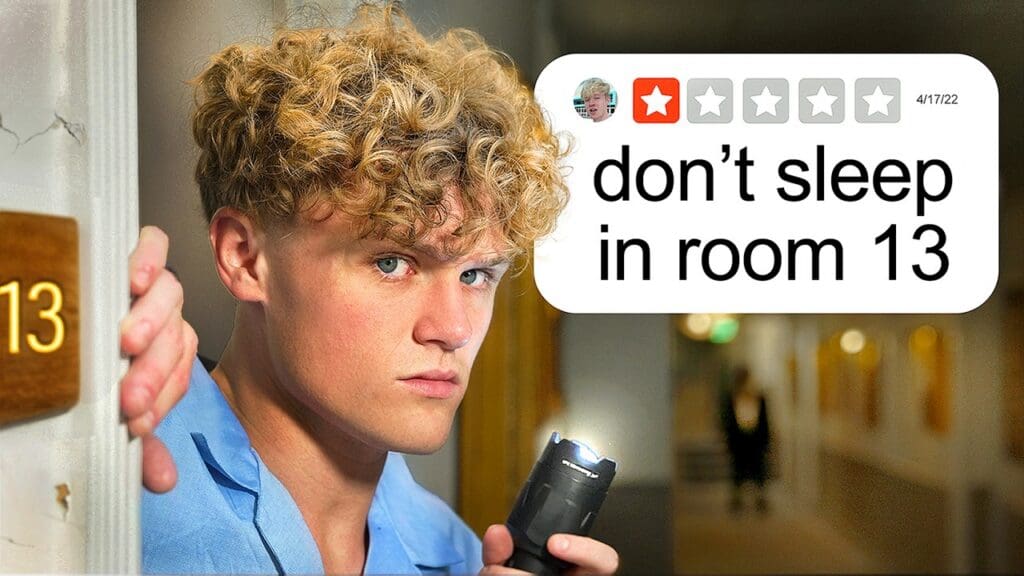
This is a thumbnail that creates an amazing curiosity gap and it’s also perfectly simple. It’s a screenshot of a one star review saying “don’t sleep in room 13” and then you have Ryan in pajamas, in room 13.
Automatically, just from the visual storytelling of this thumbnail you want to know what’s going to come in this video. Why shouldn’t you sleep in room 13? Why has Ryan decided to book that room? Is something going to happen?
That is creating a strong curiosity gap. Honestly, you can look at any of his thumbnails because this is a strategy that he has nailed.
Creating a curiosity gap that resonates with your audience and earns you those clicks will take time. You can experiment with your thumbnails and use A/B testing to help you find out what works best for you.
The more you do this, the better you get. It’s something that I am still working on with every video that I upload. I highly recommend you approach this strategy with openness and creativity.
Strategy 3: Your 30-Second Guarantee
Once you’ve gotten someone to click on your video, your next job is to convince them to stay. Ideally, before you even press record, you need to strategically plan out the first 30 seconds of your video.
The biggest drop in retention that most YouTube videos get is within the first 30 seconds. If you can retain 60-70% (or more is gold) or every person that clicks, you’re more likely to get them to watch a solid chunk of your video, which adds to your overall 4000 Watch Hours goal.

How do you capture someone’s attention in the first 30 seconds? I like to do four things within the first 30 seconds of every video.
Confirm, Hook, Overview, Retention
- Confirm: You need to confirm that they’re in the right place (i.e. that thumbnail wasn’t clickbait, you are there to deliver)
- Hook: Can you create another curiosity gap within the first 30 seconds, where someone is then more likely to stay until the end? For example, I often do this by telling you what’s upcoming and letting you know what you don’t want to miss. In this video, I tell you that strategies 5 and 6 are severely underrated and that 10 is the strategy that helped me go viral.
- Overview: Giving viewers an overview of what they can expect in your video (I do this at the start of every video)
- Retention: Do everything relatively quickly, while maintaining their attention? In other words, can you make all of that happen in 30 seconds or less?
Let’s go through an example of this together.
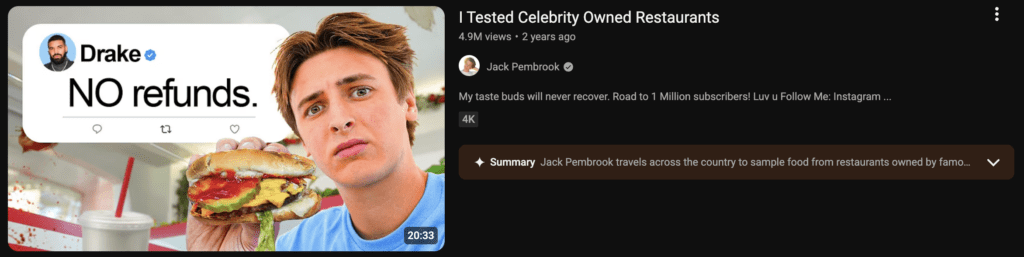
Compare the thumbnail of this video to the first few seconds of his video.
The first words he says are this: “It seems like every celebrity tries to open a restaurant… Drake opened a restaurant but it was quickly shut down because he forgot to pay the rent. But it’s not just Drake, tons of other celebrities have opened restaurants so I found the most interesting ones to visit. Are these restaurants actually good or just a straight up scam?”
The thumbnail and the first frame of his video are the same. He’s acknowledging what you clicked on. Then, in the first 30 seconds address the title: “Drake” and “Celebrity Restaurant” and teased what was to come.
- The intro is straight to the point
- He’s used fast-paced editing
- Great visual changes
- And he’s incorporated high quality b-roll to tell the story
No logo animations, no long intros. He’s used fast-paced editing with lots of visual changes and b-roll.
B-roll is a great way to make those first 30 seconds more dynamic and keep viewers more engaged throughout your videos. If you’ve watched any of my YouTube videos over the years, you know that I use a lot of b-roll, otherwise you’d just be watching my sit here talking for 20-minutes.

Using B-Roll for More Dynamic and Elevated Videos
I personally use Storyblocks as my go-to resource for b-roll. I’ve talked about them for years and I’ve been personally using them since 2021. They’re a genuinely impactful resource that content creators can use to save time and level-up their video quality. It feels surreal to be able to partner with them now.
For those of you who don’t already know, Storyblocks is the all-in-one creative toolkit built to help creators tell stronger, more professional stories through video. It brings together a high-quality, human-made stock library of footage, music, sound effects, templates, and workflow-enhancing tools in one place, so that you can focus on storytelling.
As a new mom, I don’t have the extra time to film b-roll for all of my videos, I’m only filming this “talking head” content when I’m lucky enough to have a view minutes. So, being able to have instant access to what feels like an endless media library that I can use to make my videos feel even more elevated, is a gamechanger.
One of the things that I love about Storyblocks (as someone who’s been using them for years), is that even through all of the changes with AI, the Storyblocks library is still 100% human-made, created by contributors who are filmmakers and artists from around the world.
Storyblocks is not a text-to-video AI generation platform. The footage is real and professionally produced while offering AI powered tools that work alongside the Storyblocks library to help you with post-production.
Plus, when you use Storyblocks, you don’t have to worry about copyright claims, because everything you download is royalty free, pre-licensed, and read for personal, commercial and monetized projects.
Again, I’m someone who stands by b-roll being one of the best ways to improve your video quality and increase retention. You can start telling better stories with the tools that I use, head to storyblocks.com/modernmillie to get started.
Strategy 4: The Retention Plan
Now that you’ve gotten someone to click on your video and stick around past the first 30 seconds, let’s rack in the rest of your 4000 Watch Hours by increasing retention through video editing.
I want you to think about retention as your Watch Hours multiplier. This is where the flow of your footage, storyline and editing come together to dramatically improve your retention.
These are the things you need to focus on within your editing:
- Cut dead air or dead moments (pauses, breaths, or anything that is slowing down your video). I usually do a couple of passes of this, and then once I have a video to the point where I think it’s ready, I’ll watch it again and cut out any moments where I repeat myself, or anything that just feels like it doesn’t need to be there.
- Ask yourself, “When do I get bored?” Do I need to cut something out or do I need to add editing to help with this?
- Add Movement (zoom ins, zoom outs)
- Use text emphasis
- Visual variety or audio variety
Something that I think about with every YouTube video is “what am I trying to teach with this video?” If the video has moments that aren’t relevant to what I’m teaching, I cut them. I can be pretty ruthless with my videos because I know with educational content, it can get boring. It’s my goal to teach what I’m trying to teach as quickly and thoroughly as possible.
If you’d like to learn more about editing YouTube videos for better retention, you can actually watch this YouTube video I created next.
Strategy 5: Hacking Your Click Through Rate
This is my favorite strategy to help you hit 4000 Watch Hours faster. Did you know that once your video goes live, there is still so much opportunity to increase your watch hours?
Even if you published a video a year ago, it’s not too late to make improvements. You can still increase your views, you just have to figure out where those improvements need to be made. So, open up your YouTube Studio and click on the analytics of any of your videos.
So this strategy is going to help you reach 4000 Watch Hours by helping you “hack” your way to more clicks.
Head over to YouTube Studio (if you’d like to watch me run through this, watch this video starting at 17:25), go to “Reach” and look for this funnel:
Impressions → CTR → Views → AVD → total watch time from Impressions.
Your goal is to get as many people from the impressions to funnel down to watch time. The more people you can pull through this funnel, the quicker you’ll be able to get your watch hours.
To do this, first look at your Click Through Rate. How many people are clicking on your video compared to the number of impressions? We want to make sure you have the highest Click Through Rate possible. For my team, we aim for a click through rate of 5% or higher.
If you have anything below 4%, you need to work on your packaging (aka your thumbnail + title) needs work.
Now that you know which videos have a low click through rate, you can update the packaging of those videos. And yes, I mean literally uploading new thumbnails and changing titles. You can do this at any point, even for old videos.
I’ve even got proof that this works. One of my students in the BSP Model, took everything she’d learned about YouTube and video packaging and went back through her channel to update video packaging on videos that weren’t performing well.
And well, this graph doesn’t lie.

After she changed her title and thumbnail, she immediately got 3,000 more views than before. She didn’t have to create new content. All she had to do was update the packaging.
Strategy 6: Hacking Your Watch Time
Again, after your video is live, you can still use analytics to your advantage. This time, we’re going to increase your watch time. More watch time = 4000 Watch Hours.
Head into your YouTube Studio → Content → Click the Analytics of any video and then click Engagement and scroll to “Audience Retention.”
This metric is only available if YouTube deems you’ve gotten enough views, and it’s only available 48+ hours after publishing. That being said, you might need to wait to view this metric for certain videos.
However, this retention graph is so powerful because it tells you exactly where the viewers leave your video.
Here’s what you should look out for:
How many people stayed through the first 30 seconds? If 60% or more people stayed, you’re good. If less than 60% (and especially less than 50%) stayed, your intro needs more work.
You want to look for big drop offs. These can shed light on potentially boring segments or pacing issues. Be honest with yourself and note these moments for future edits.
This data can help you know what to cut out of upcoming videos, but you can also cut these moments out of existing videos. Being honest with yourself and cutting moments where you’re losing your audience is a great way to increase your average view duration and hopefully keep viewers on your video longer.
The other thing you want to look for is big spikes. This helps shed light on:
- Repeatable moments
- Memorable moments
- Information you gave
- Funny moments that made someone want to watch again
All of this is important because people rewatching moments of your videos counts towards your 4000 Watch Hours.
Note the spikes and brainstorm ways that you can include repeatable elements into future videos.
If you’re having a hard time reading the analytics, you can also export your analytics and upload a CSV to a chatbot of your choosing. These tools can help you dive deeper into your specific analytics to understand them better.
Strategy 7: Know Your Math
Did you know that you can actually calculate how many videos you’ll need to post in order to reach 4,000 Watch Hours? This is another super underrated strategy because it can also help motivate you to keep posting even when you haven’t monetized yet.
Keep in mind that this is only relevant if you’ve already been posting and have enough videos on your channel with analytics to pull for this.
Tubebuddy actually shows you exactly how to do this, in this YouTube Short.
The first thing you need to do is find your channel’s Average View Duration. That number tells you how many minutes the average viewer watches per view. Whatever that number is, divide it by 240,000 minutes (aka 4000 Watch Hours).
That’s the number of views you need to reach to hit 4000 Watch Hours on YouTube.
Now we can take this one step further. What’s the average number of views you get per video? You can divide that number by the number of views you need and that will tell you how many videos you need.
Of course, that’s assuming every video you post reaches your average number of views.
Strategy 8: Create a Masterclass
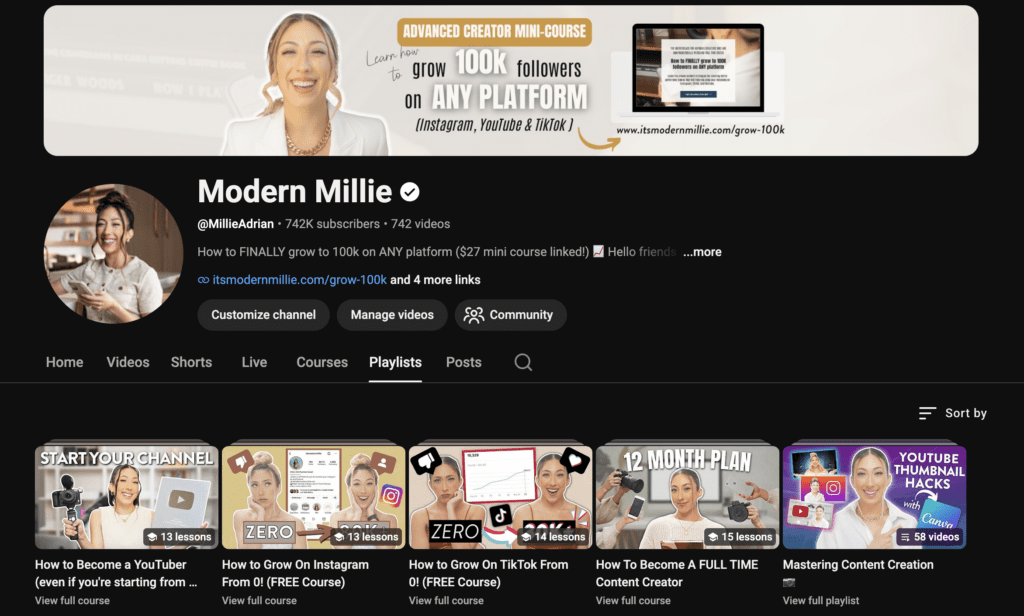
Now strategy number 8 to help you hit 4000 Watch Hours on YouTube is to create a masterclass. This is something that I first saw implemented by YouTuber Caleb Ralston. He posted a five hour video on personal branding and it performed so well that he ran with this strategy, posting four to five other masterclass style videos.
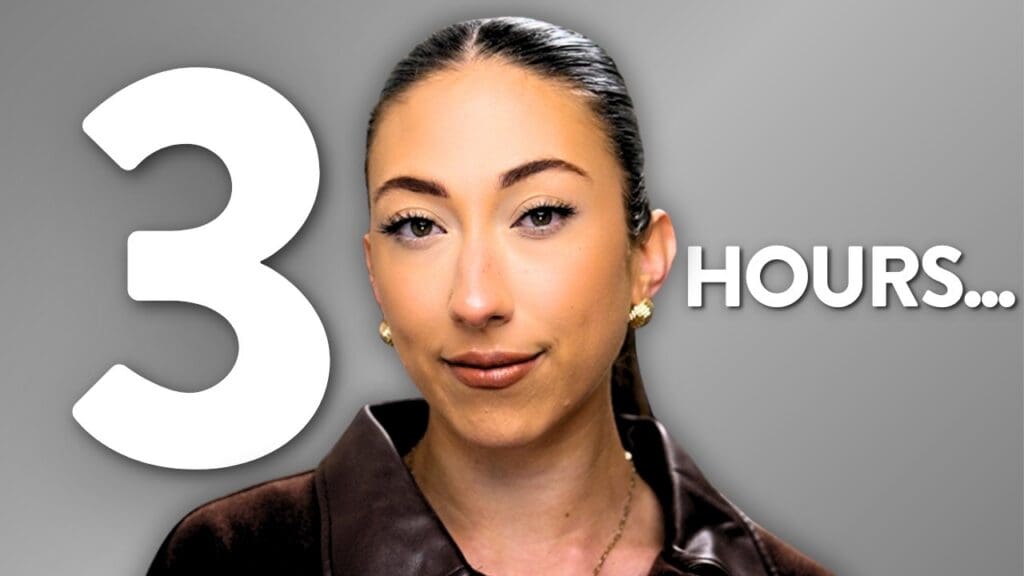
I immediately fell in love with this idea. So I made a three-hour long video helping you become a content creator step-by-step and it was one of my best performing videos, giving me and my channel the most watch hours that I have seen in a long time.
That video alone got my channel almost 350,000 watch hours.
If you’re in the education space, this strategy could help you surpass 4000 Watch Hours so easily. And if you want to learn more about how to do this, I highly recommend checking out Caleb’s channel because he’s posted exact tutorials to help you replicate what’s worked so well for him.
Strategy 9: Be Dedicated to Creating Bingeable Content
The next strategy that I want to share is creating bingeable content. There are different approaches to bingeable content and I think one of these strategies has really taken off in 2026, and that’s the idea of creating a signature series. While this can be a great strategy for short-form, it’s something I hesitate to recommend on YouTube.
If you’re a new creator, committing to a signature series can be a lot of work, around something that you’re not even sure your audience wants yet. Signature Series work well after you already know what your audience is craving from you. So, if you don’t have this data yet, then what do I mean?
What I mean by this strategy is being dedicated to creating bingeable content. Be dedicated to building out a library of videos, trusting that when one video blows up, you’ll have created this hub for someone to binge relevant videos.
This is where having a niche or specific content pillars becomes an advantage.
For example
Let’s say you’re a booktuber and the only thing you share is book-related content. If one of your videos goes viral, the likelihood of someone bingeing the rest of your content is so much higher, because all of your content is about the same thing.
On the other hand, let’s say you’re a lifestyle YouTuber who posts about everything from recipes to motherhood and being postpartum and then you create a video on setting goals that completely goes viral. If someone goes to your channel for more goal setting content and finds nothing similar, they’re probably not going to start bingeing content on a completely different topic.
That’s why if you can dedicate yourself to creating content on a specific topic or for a specific person for an extended period of time, when you finally do have a video go viral, your chances of getting viewers to watch multiple videos in one session increases and that will help your watch hours grow exponentially.
And if you are creating content around a series of content pillars, make sure to curate these series into playlists.

Strategy 10: Filling the Gap
Finally, it’s time to talk about what I did to make my first viral video on YouTube, helping me to monetize my channel and change the trajectory of my entire YouTube career. I did this through filling in a gap in my industry.
What’s funny is that this strategy is the exact opposite of tip number one which was to create videos on validated video ideas. Instead, this is the risk of making a video even though it’s not validated, even though no one else is talking about it and you have no data on whether or not people actually want a video on this topic.
And there is still some strategy to this.
Let me share what I did.
At the time, I was trying to grow on Instagram and I was binge watching other people’s content across YouTube, trying to learn how I could be a content creator. I was trying to find a video that would teach me how to create my own editing style.
I knew that I sucked at editing photos, and I saw other influencers with aesthetic feeds but none of their aesthetics matched mine. So essentially, I wanted someone to teach me how to find my own aesthetic for Instagram. I was searching for the answer (so that’s the validity) but I couldn’t find a video that helped me do this.
And because I couldn’t find it, I decided to figure it out myself and then teach it. I made the video teaching what I had wished someone would teach me, and that’s what went viral. But it didn’t go viral right away, it went viral months later. You have to be patient with YouTube.
So if you’re struggling with something and you can’t find a resource teaching on this topic, that can be a sign that you should make the video.
Pro tip: Make sure it’s within the niche you want to grow in.
Which one of these strategies stood out to you the most? What resonated with you and what will you be implementing first to help you reach 4000 Watch Hours on YouTube?
And if you’re wondering how you can grow on YouTube this year, I recommend that you read this post next.
Thank you so much for being here. I’ll see you in the next one. Follow your joy!





Be the first to comment